Many people can type ordinary sentences comfortably but slow down when the text contains an email address, percentage, bracket, or long series of digits. That difference is understandable: common letters appear repeatedly in everyday writing, while punctuation and special characters may receive little deliberate practice. The solution is not simply to press the number keys harder. It is to learn their positions, establish comfortable finger movements, and practice them in realistic combinations.
Whether you are preparing for an office assessment, writing code, or entering data into spreadsheets, this guide helps you train the symbols you actually need. It covers the number row, Shift combinations, punctuation, special characters, and ways to measure improvement without confusing number-entry speed with normal text WPM.
Why Numbers and Symbols Slow Down Typing
Typing rhythm relies heavily on familiar movement patterns. In prose, your fingers repeatedly encounter combinations such as the, ing, and and. Strings such as #A42-19 or 15.75% involve less familiar transitions. They also demand closer attention: one incorrect digit can change the meaning of a quantity, a filename, or a reference code.
Special characters can be difficult for another reason. Their locations vary between keyboard layouts and national variants. A key that produces @ on one layout may require a different combination on another. Before practicing, verify the keyboard layout configured in your operating system rather than assuming every QWERTY keyboard uses identical symbols.
Treat symbols as separate skills: digit recognition, Shift-key coordination, punctuation accuracy, and real-world formatting. You do not have to master them all on the same day.
Learn the Number Row Without Looking Down
On many standard US QWERTY keyboards, the top number row runs from 1 through 0 above the letters. Start by finding the row with your hands at a comfortable reference position. Reach for one digit, return your hand naturally, and repeat without forcing an uncomfortable stretch.
Practice the digits in manageable groups, such as 12345 and 67890, then change the order to break the habit of simply memorizing a sequence. Use pairs such as 14 27 36 58 90 and short groups such as 104 782 639. If you constantly look down, slow the exercise until you can find the next digit confidently.
Move from isolated digits to realistic information
Numbers rarely appear as uninterrupted drills in ordinary work. Try copying fabricated dates, quantities, reference numbers, and prices:
- Dates:
2026-11-06,04/15/2026. - Prices:
$18.50,$1,240.00. - Percentages:
12.5%,98%. - Reference codes:
AB-1047,Q7X-203. - Measurements:
24 cm,3.75 kg.
These are fictional examples. The objective is to reproduce each character exactly while keeping a steady pace. Pay attention to hyphens versus slashes and to decimals versus commas.
Understand Shift-Key Combinations for Symbols
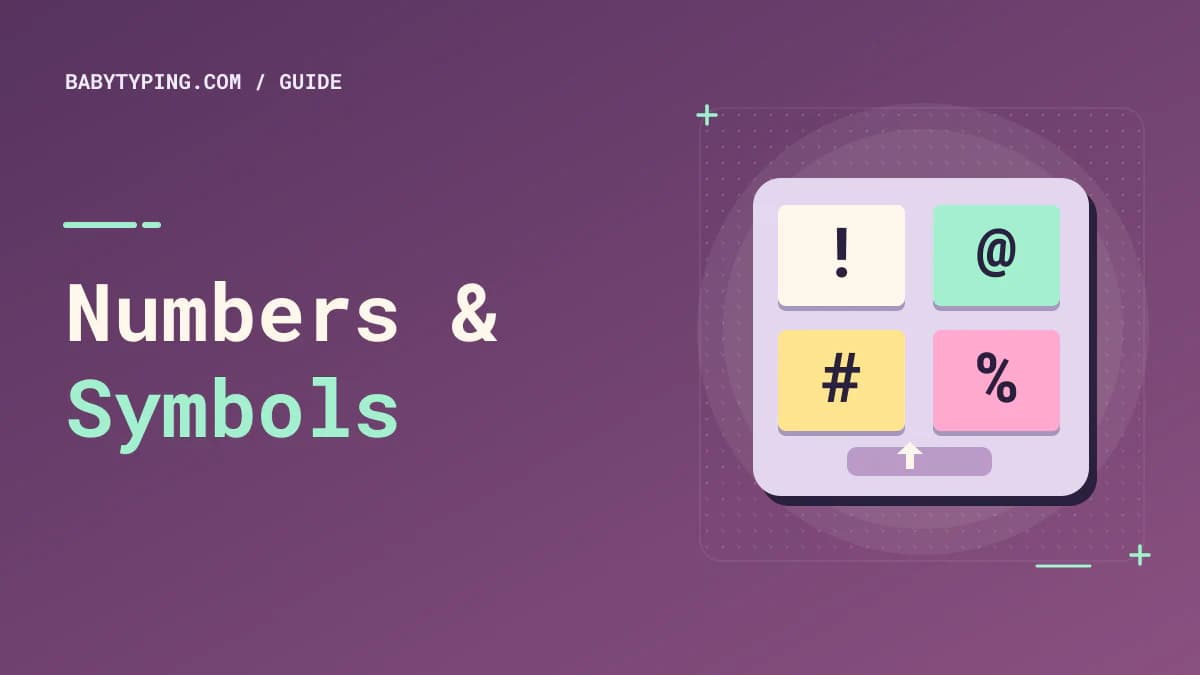
On a standard US QWERTY layout, Shift combined with number-row keys produces symbols such as ! @ # $ % ^ & * ( ). Exact mapping may differ with regional layouts, so check what your own keyboard produces. Learn these combinations in small sets instead of trying to memorize the whole row at once.
A common touch-typing approach uses the Shift key on the opposite side from the character being entered, although comfort and layout vary. For example, a left-hand letter can often be capitalized using right Shift. For symbols, develop a consistent method that keeps the hand position natural rather than twisting one wrist to reach everything.
First practice one character at a time. Next combine it with a short word: sale!, email@, cost$, and rate%. Finally type complete sentences. The transition from isolated signs to actual text is what makes the skill useful outside a training exercise.
Practice commonly used symbol groups
Email addresses: Copy mock addresses such as alex@example.com. Focus on @, periods, and the letters around them.
Web addresses: Practice harmless example URLs such as https://example.com/docs?id=42. Include the colon, slashes, question mark, and equals sign.
Spreadsheet formulas: Type examples like =SUM(A1:A5) or =B2*0.15. These build familiarity with parentheses, colons, asterisks, and equals signs.
File names: Try report_2026-final.csv and notes-v2.txt. Distinguish underscores, hyphens, and periods.
Code-like text: Enter const count = items[2]; or { name: "Sam" }. Focus on brackets, braces, quotation marks, and semicolons rather than programming concepts.
Master Punctuation Before Rare Symbols
Commas, periods, apostrophes, colons, and quotation marks appear more frequently in many writing tasks than braces or pipes. Begin with the punctuation that you use every day. Type short paragraphs containing names, lists, contractions, and quoted phrases. Then check whether you accidentally add spaces before punctuation or leave them out after it.
A sample practice sentence is: “Yes, I can finish the report at 3:45 p.m.,” Maya said. The challenge includes capitalization, an opening quotation mark, a comma, a colon, and periods. Do not worry if your first attempt is slow. Carefully identifying each character builds reliable coordination.
Remember that punctuation and typography are separate concerns. A straight apostrophe (') and a curly apostrophe (’) may not be entered the same way in every editor. Practice the characters relevant to the software you actually use.
Number Row Versus Numeric Keypad: Which Should You Practice?
A standard number row works on most compact laptop keyboards and is necessary for many symbols. A numeric keypad, sometimes called 10-key, provides a dedicated arrangement of digits and arithmetic keys. If your work involves large quantities of numeric entry, learning the keypad may be worthwhile.
The two methods are not interchangeable in every assessment. A traditional words-per-minute test usually focuses on text, while a numeric data-entry test may measure keystrokes per hour. If your employer specifically requires 10-key proficiency, use keypad-specific exercises and read what a 10-key typing test is.
For general writing, prioritize the number row and punctuation. For bookkeeping or numerical record entry, dedicate additional time to the keypad.
A Fifteen-Minute Numbers and Symbols Routine
Use a short structured session rather than repeatedly typing random characters:
- Three minutes: Slowly type number-row digits, pairs, and three-digit groups without looking down.
- Three minutes: Practice common symbols with Shift and check for wrong-key combinations.
- Three minutes: Type punctuation-rich sentences at a comfortable pace.
- Three minutes: Copy fictional real-world strings such as prices, email addresses, and file names.
- Three minutes: Review mistakes, repeat one difficult pattern, and record your progress.
On the next day, change the material while keeping the overall difficulty similar. If @, &, or underscores cause problems, spend a little extra time on them. As your accuracy improves, gradually increase pace. Avoid practicing for so long that your hands become tense.
Example week of targeted drills
On Monday, focus on digits and decimal numbers. On Tuesday, practice commas, periods, and apostrophes. On Wednesday, work on Shift symbols. On Thursday, combine numbers and letters in invented product codes. On Friday, use file names and URLs. On Saturday, write a short punctuation-rich paragraph. On Sunday, take an ordinary WPM test on BabyTyping and review whether your general typing accuracy has remained stable.
This is a flexible schedule rather than a mandatory program. The point is to practice multiple formats without sacrificing consistency.
Avoid Common Special-Character Typing Mistakes
One mistake is trying to memorize the appearance of a keyboard rather than learning finger movement. Another is changing keyboard layouts halfway through a session and forgetting why @ or quotation marks have moved. A third is practicing only with easy sequences, which can produce a false feeling of mastery.
Also watch for automatic formatting. Some text editors replace straight quotes with curly quotes, auto-capitalize letters, or interpret typed characters as shortcuts. For skill practice, use a simple text field that does not silently change the input. If the exercise is an exact-copy assessment, verify the rules for special symbols and case sensitivity.
Measure Symbol Accuracy Separately From Plain WPM
A plain English WPM result is not a complete measure of numerical or symbol fluency. You might type 65 WPM on ordinary words but struggle with a line of spreadsheet formulas. That is not necessarily a contradiction; the tasks use different character distributions.
For a targeted exercise, count how many examples you reproduce correctly. Track whether you confuse similar characters, omit punctuation, or pause before Shift combinations. Then use a conventional text test to monitor whether your broader typing speed changes. Comparing the same formats over time gives more useful feedback than treating every character string as equally difficult.
Frequently Asked Questions
How can I type special characters faster without looking at the keyboard?
Learn the layout used by your device, practice a few symbols at a time, and combine them with real words or formats. Build accuracy before raising speed.
Is the number row faster than a numeric keypad?
It depends on the task and your familiarity. A keypad can be efficient for sustained numeric entry, while the number row is necessary for many compact keyboards and common Shift symbols.
Why does my WPM drop when I type numbers?
Numbers and symbols may be less familiar than ordinary words. More visual checking and extra attention to exact values can slow you down. Practice those patterns directly rather than judging yourself by text-only WPM.
Do I need to memorize every symbol on the keyboard?
No. Learn the punctuation and symbols you use most often, then add specialized characters for your work. Familiarity with common patterns usually provides the greatest practical benefit.
How can I practice numbers for a data entry job?
Copy fictional dates, quantities, decimals, identifiers, and invoice-style fields. Check correctness carefully and practice with the input method used by the job assessment.
Make Unfamiliar Keys Feel Ordinary
Numbers and symbols become easier when you practice them in the context where they appear. Build comfortable key movements, learn the layout on your device, and use realistic examples instead of only repeating isolated signs. Keep accuracy high, then let speed develop through repetition.